The Command Center
Every audit runs through one desk.
The Command Center is the authenticated workspace where every AgencyProof inspection is started, triaged and filed — projects, findings, reports and credits on one board.
What follows is the actual interface — captured from a fictional demo workspace, nothing mocked up.
01 · The readiness board
One board, every launch in flight.
Organize sites and completed audits in an authenticated project workspace. The board is where a working day starts: what shipped, what is mid-inspection, and what is blocking a launch.
See queued, running, retrying, failed and completed scan states; paid plans include completed-scan history.
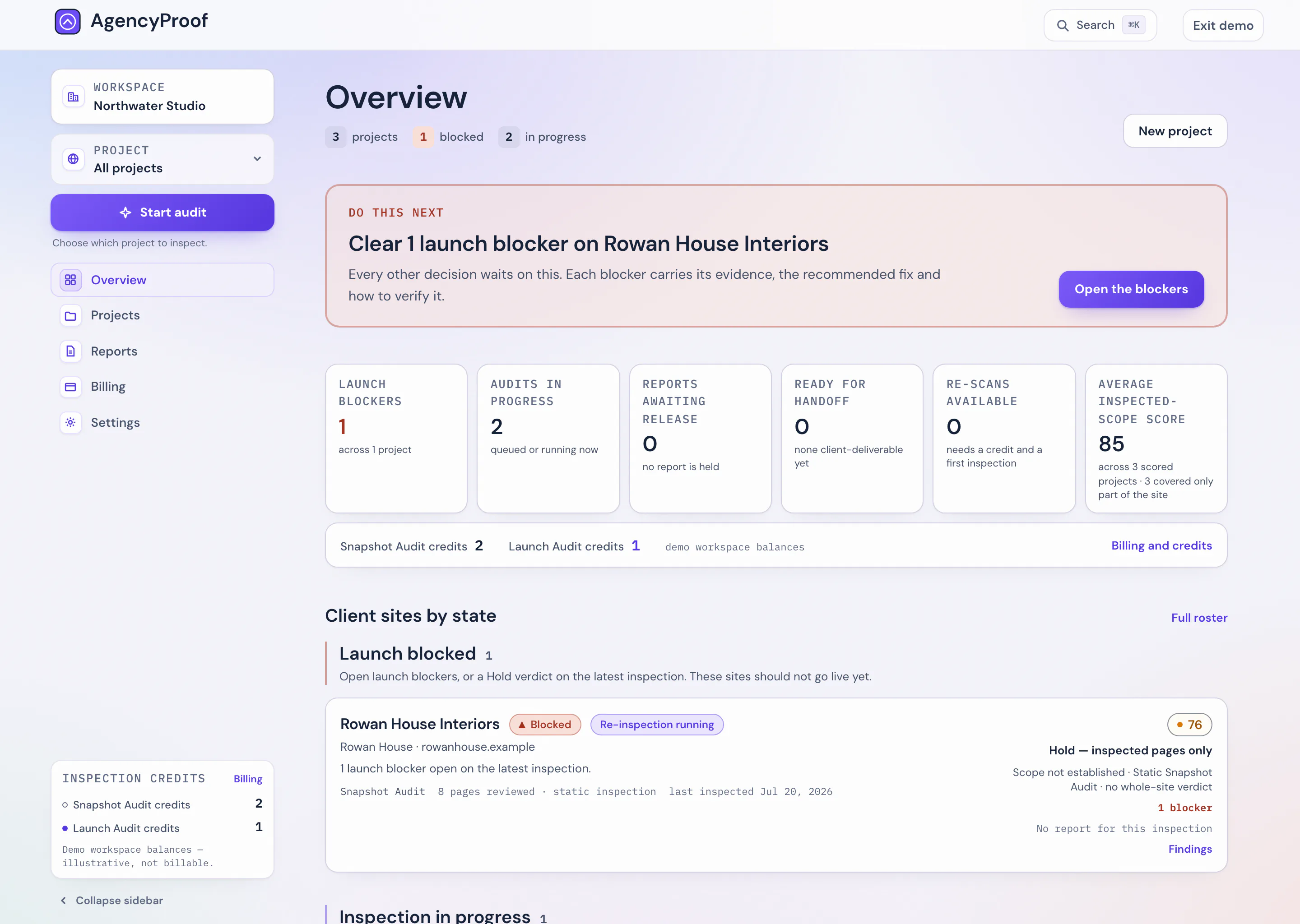
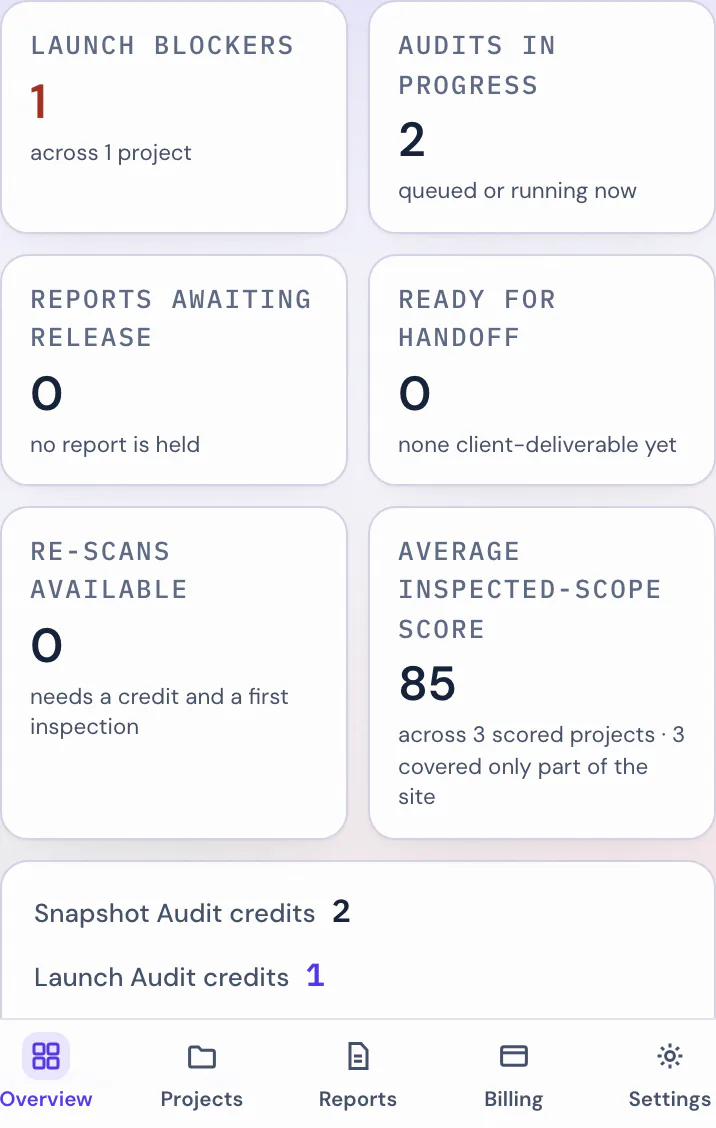
Close-up of the board's flight-board region — the latest inspections, listed like departures.
02 · The project record
Each client site keeps a record.
A project is one client site, held open across its launches. Its record carries the current readiness dial, the issues still open against it, the client on file, and — further down the page — the flight log of every inspection run so far.
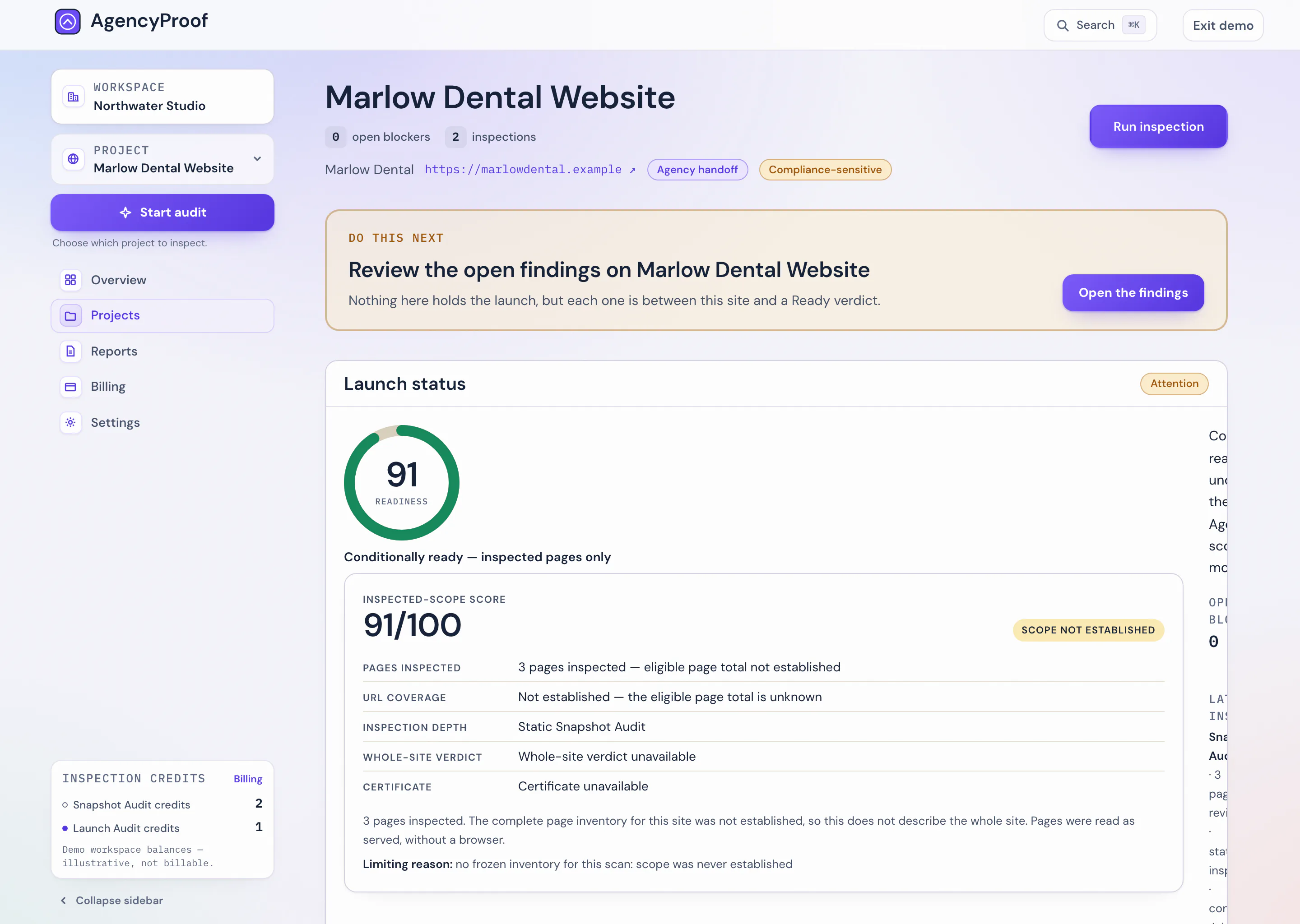
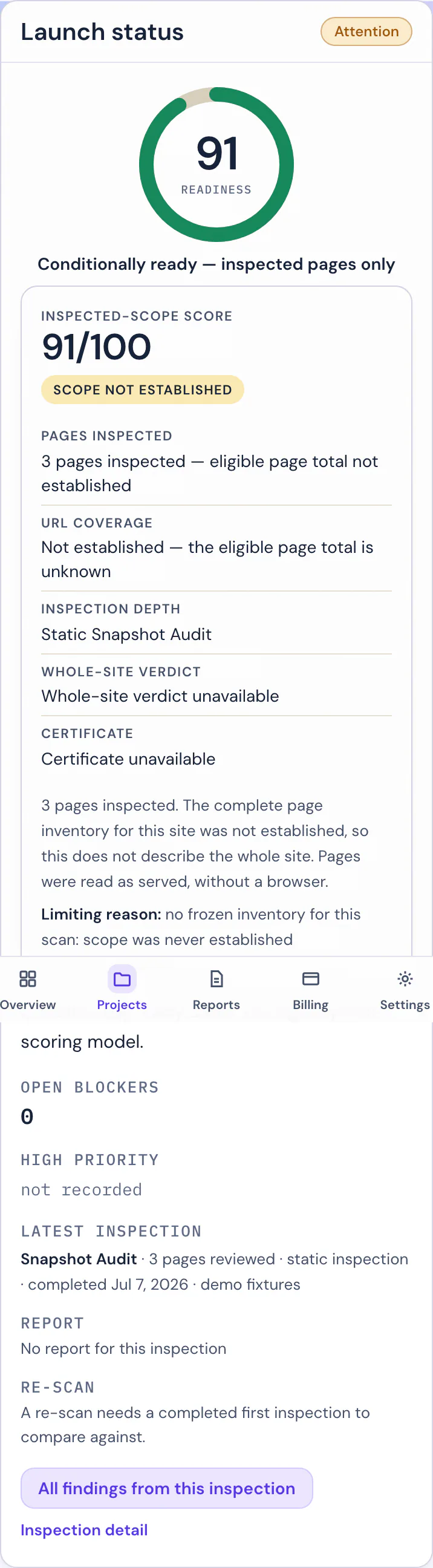
Close-up of the open-issues card: critical and high counts, and the findings on record.
03 · Choosing the audit
You choose which credit to spend.
Choose whether to spend a Snapshot or Launch credit. The server spends only the selected credit family. Nothing runs, and nothing is spent, until you have picked a depth.
And the selection fails closed: if Launch Audit depth cannot be run at that moment, an explicit Launch Audit selection is refused rather than quietly downgraded — your Launch Audit credit is not spent.
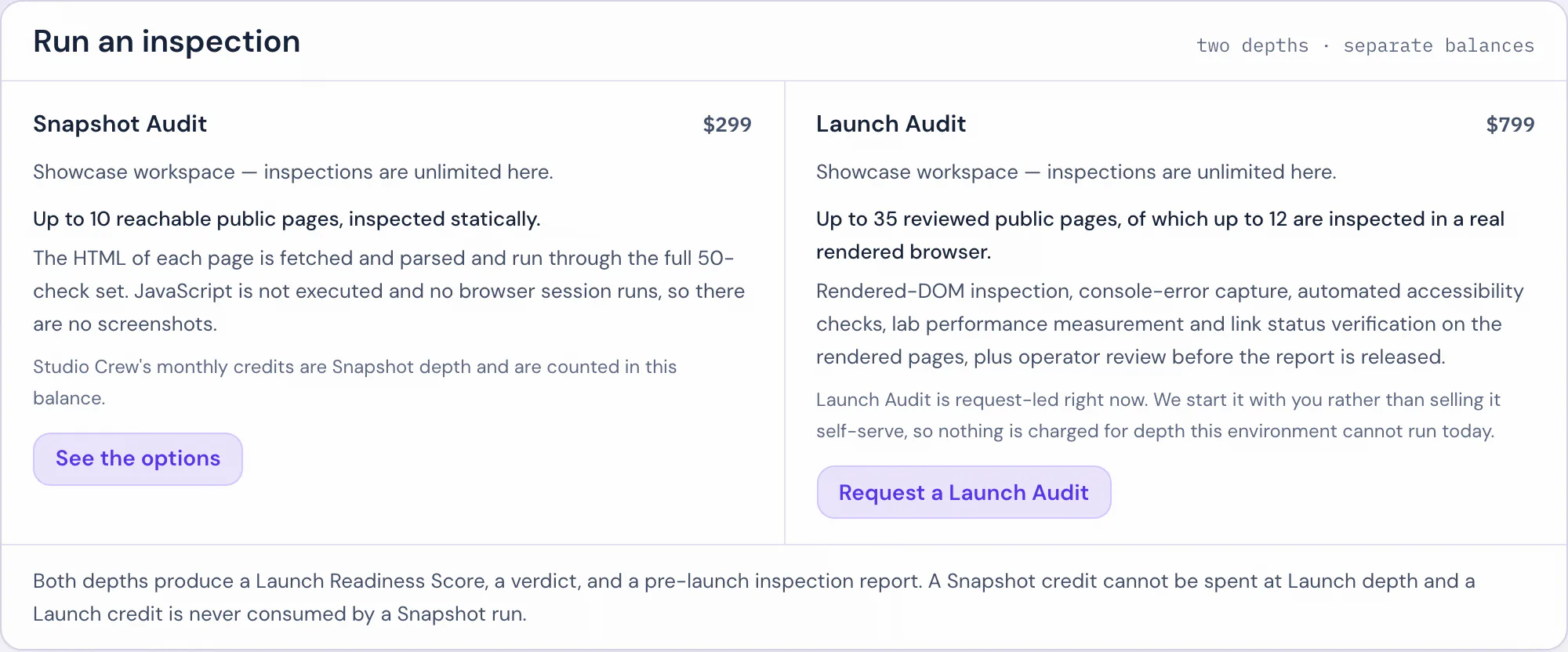
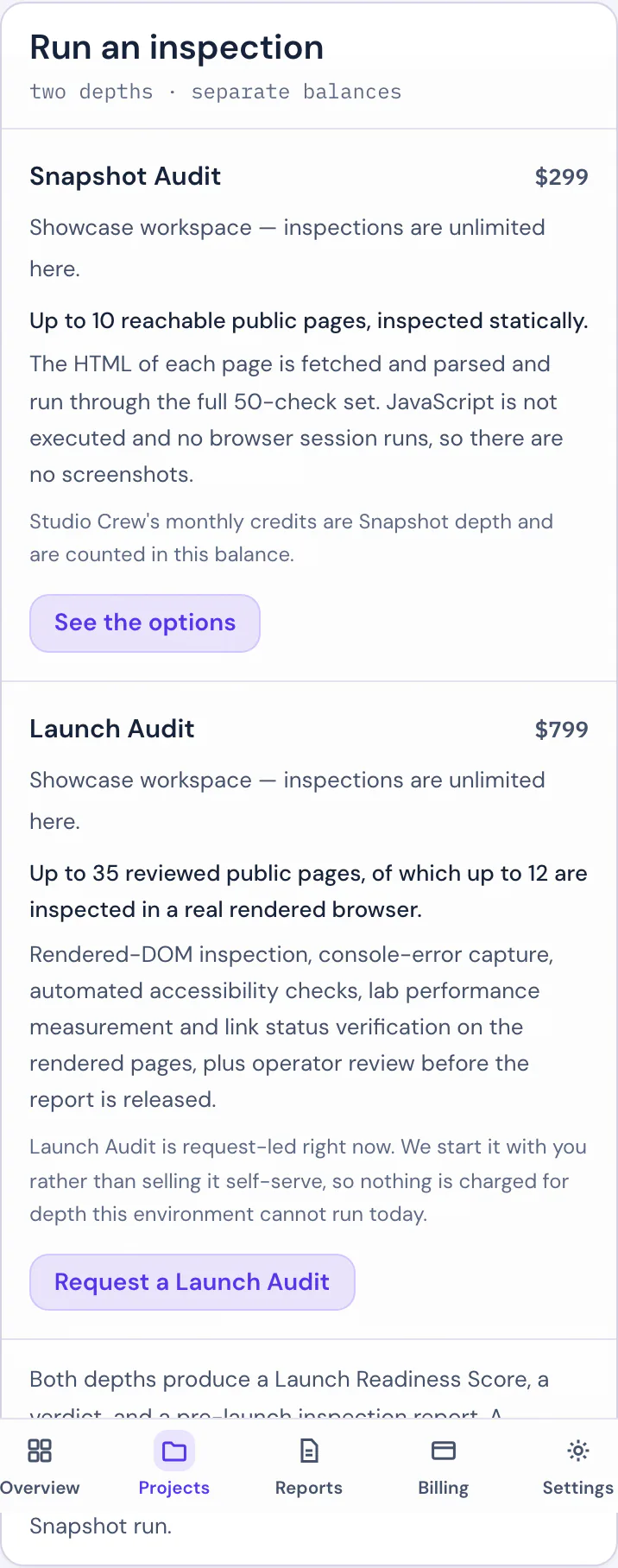
Close-up of the audit-selection modal — both depths priced before anything is spent.
Snapshot inspects up to 10 reachable public pages, static HTML only. The report records actual coverage.
Launch Audit reviews up to 35 reachable public pages and inspects up to 12 of them in a real rendered browser. The report records actual coverage.
04 · Findings triage
Findings ranked, evidence attached.
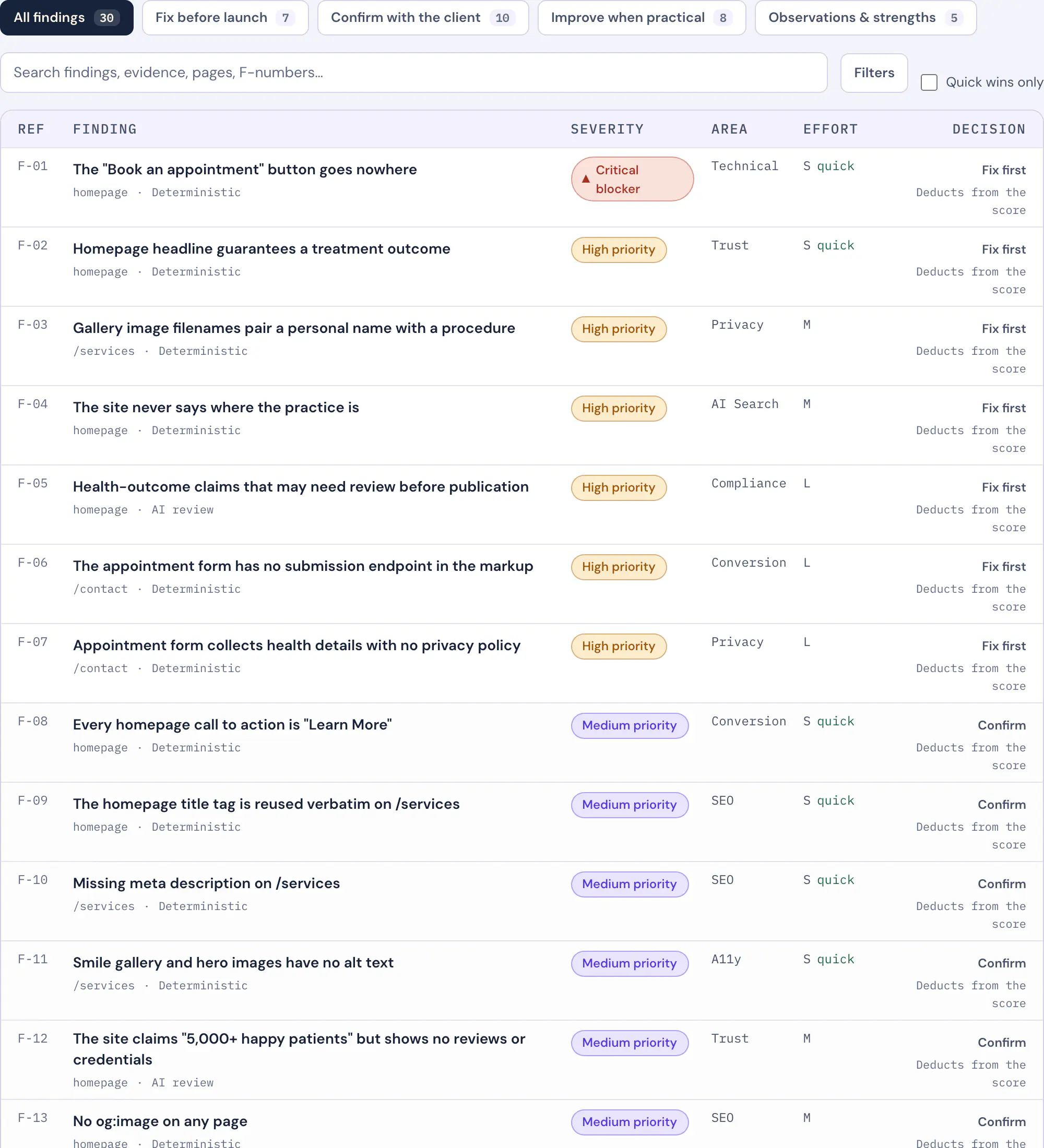
Review findings grouped by priority, owner and effort. Prioritized, not project-managed. The queue exists so the worst thing is always at the top.
Each reported issue shows the observation and available evidence captured by that scan. Findings include a confidence and method label.
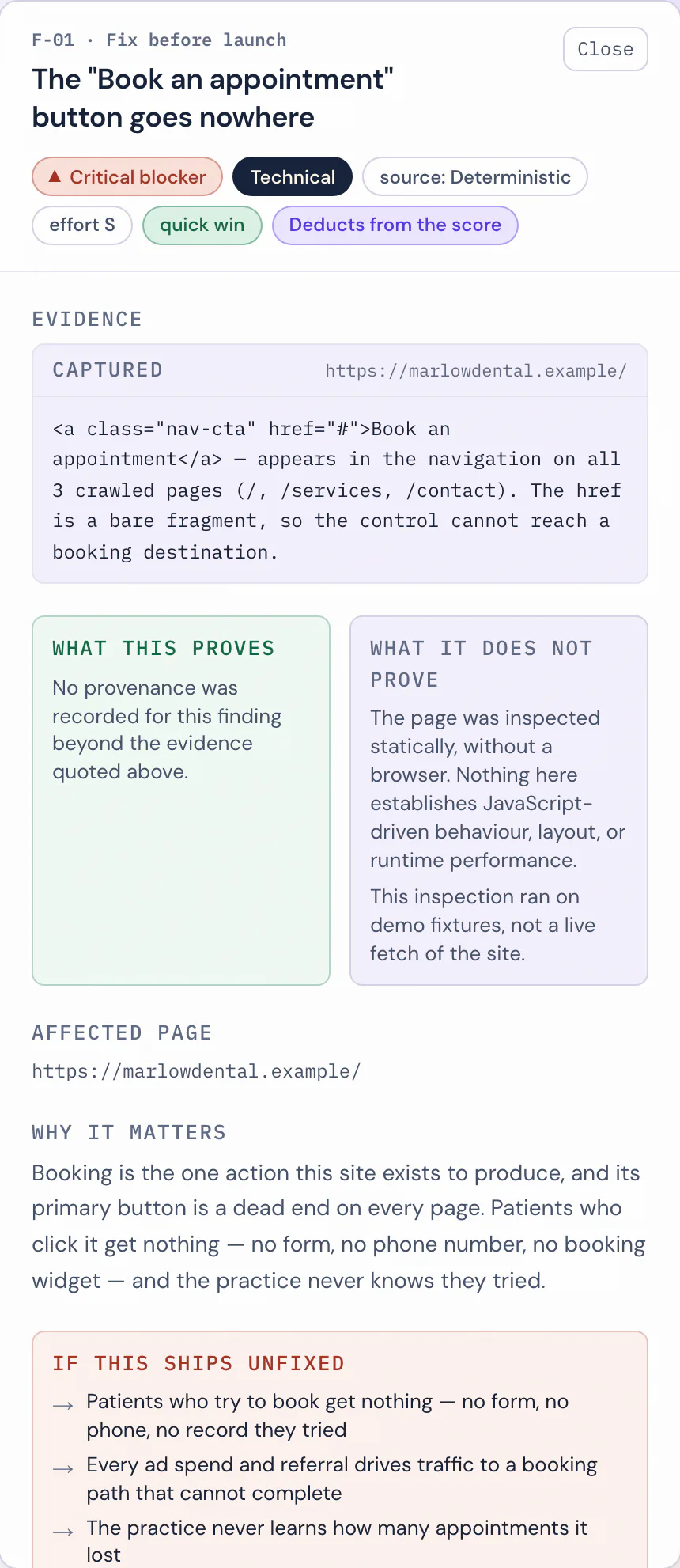
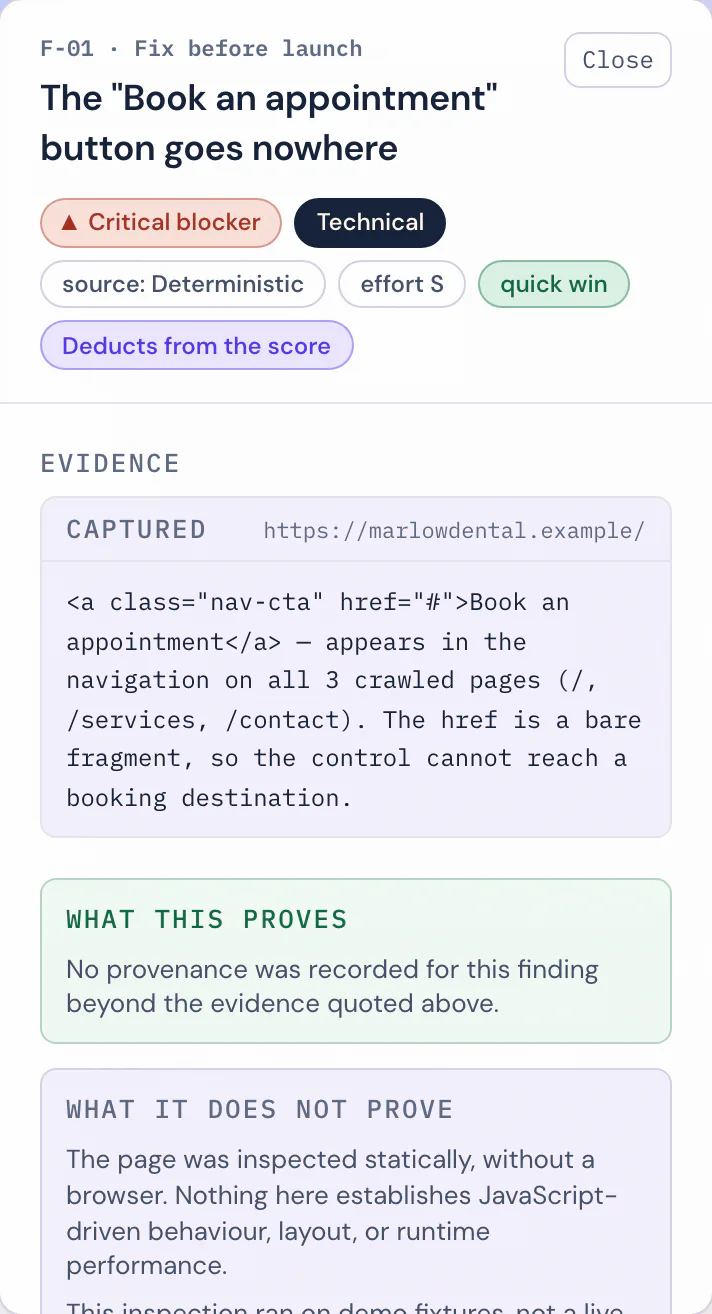
Close-up of one finding card: the observation, the recommended fix and the affected URL.
Evidence shows an observation at scan time. It does not establish cause.
05 · The report workspace
Where the findings become a report.
A structured report with an executive brief, prioritized findings and implementation guidance. The workspace is where you read it, work it, and hand it on.
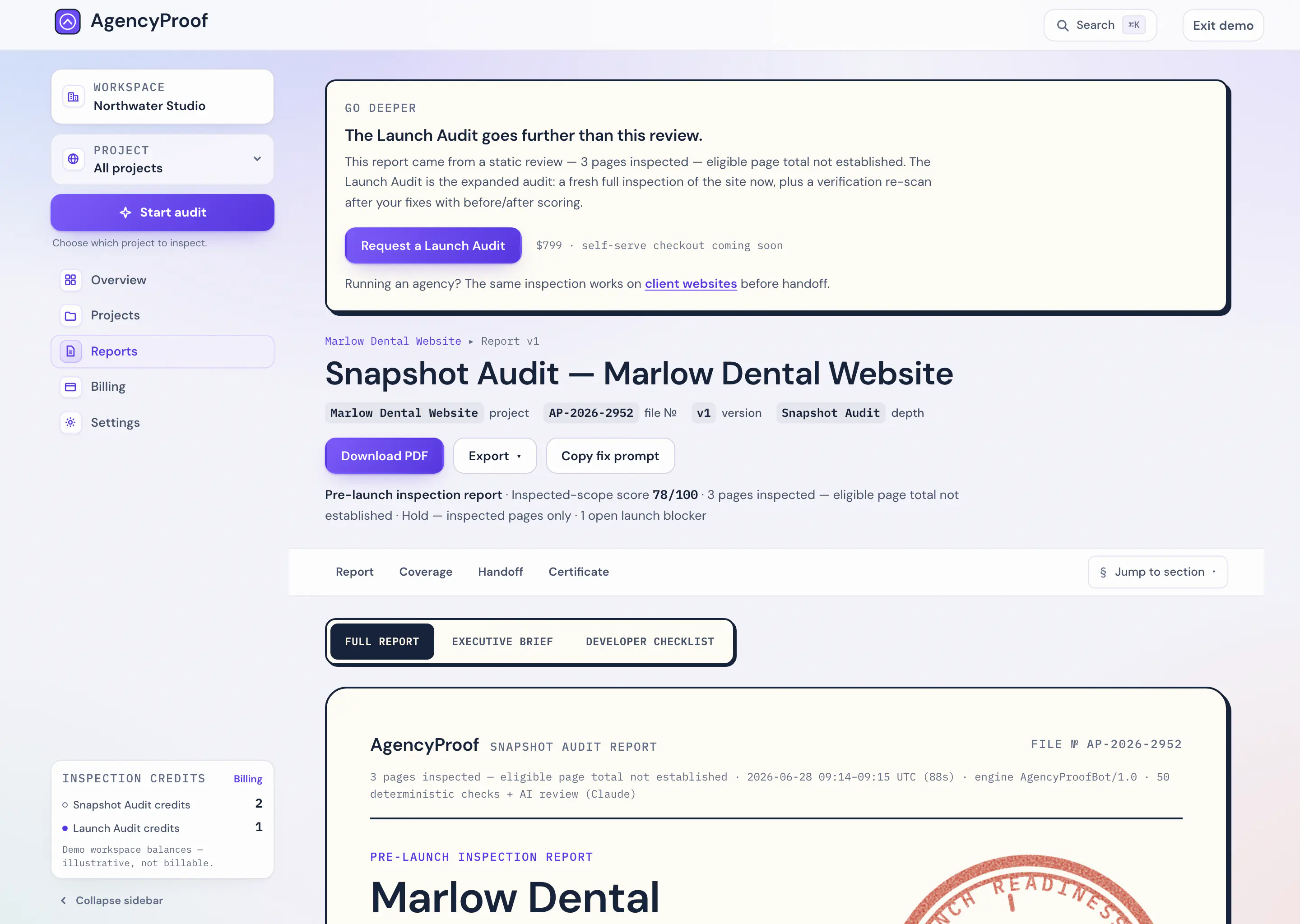
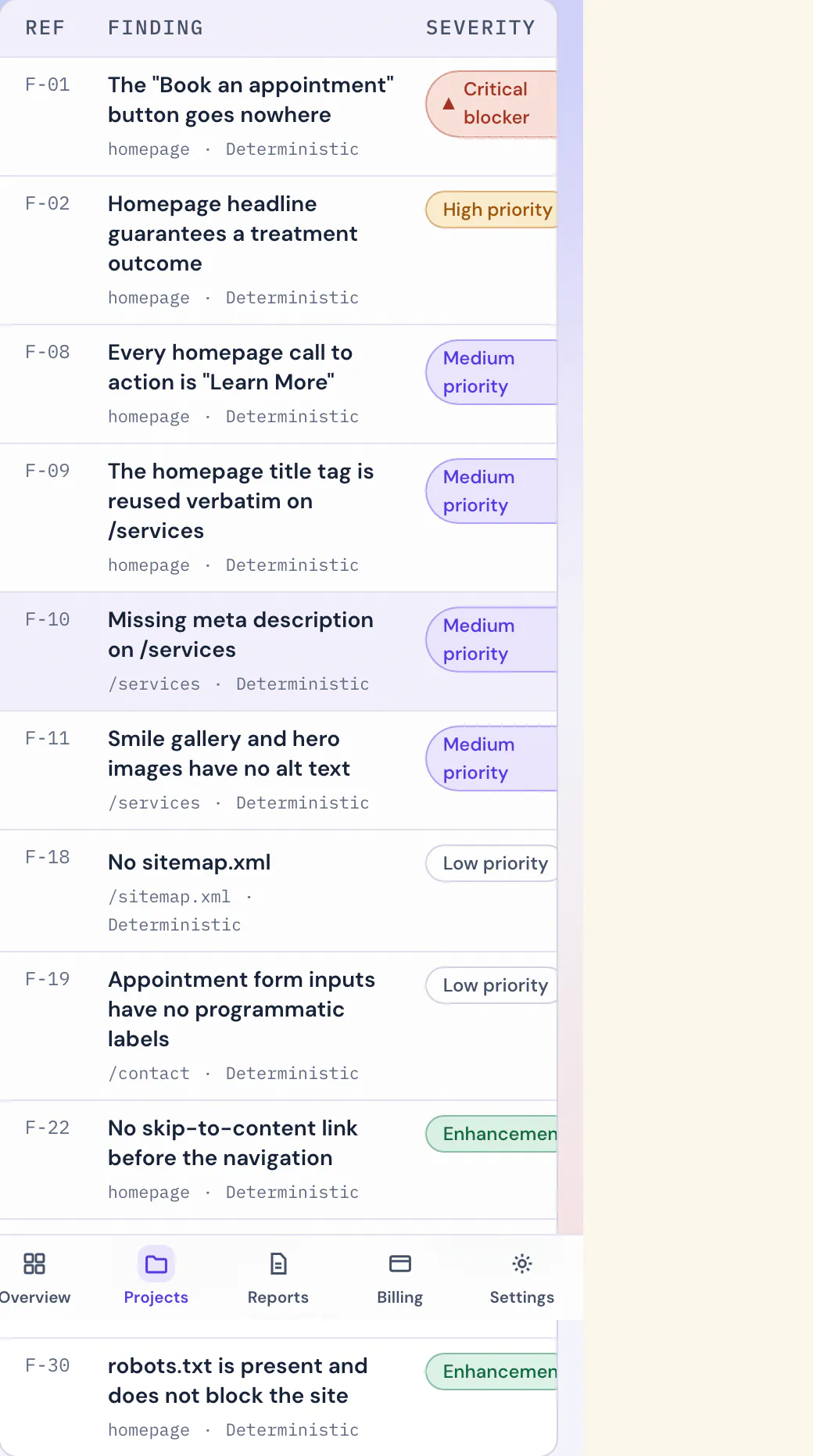
Close-up of the report's quick-wins panel: five prioritized fixes, with the score they project.
Copy the audit’s fix prompt into your implementation assistant. The prompt is copied or exported from the workspace. It is not an integration and not automatic remediation.
06 · Rescan comparison
Before and after, measured the same way.
Compare two completed scans to see score and finding changes. The included re-scan runs at Launch Audit depth, so the before and after are measured the same way.
Scan A · initial
Scan B · re-scan
- Score
- The Launch Readiness Score of each scan, side by side.
- Verdict
- AgencyProof Launch Readiness Score and a rules-based Hold, Conditionally ready, or Ready verdict.
- Findings
- What was resolved between the two scans, what is still open, and what is newly observed.
No capture on this stop, on purpose: the comparison view opens inside a workspace that has earned it — a comparison needs two completed scans and compatible data. Rather than stage one, we drew the ledger.
Launch Audit includes one re-scan after the initial completed scan, with no expiry deadline.
07 · The certificate
Never automatic.
One artifact in the Command Center cannot be bought, only earned — and the rule is short enough to print in full:
Not included with purchase. Issued only after a standalone $799 Launch Audit completes the approved rendered coverage, earns a Ready verdict — a Launch Readiness Score of 85 or above with no launch blockers and no high-priority findings open — and an AgencyProof operator has reviewed, approved and released the report.
On the Snapshot Audit and Studio Crewthe row simply reads “Not available” — those depths do not carry one. On the Launch Audit it reads “By eligibility only”. Paying is the start of the conditions, not the end of them.
08 · The paper trail
Filed, numbered, kept.
Every released report is filed in the library under its own file number, and every inspection a project has run stays on its flight log. Completed scans are runs you started, kept for comparison.
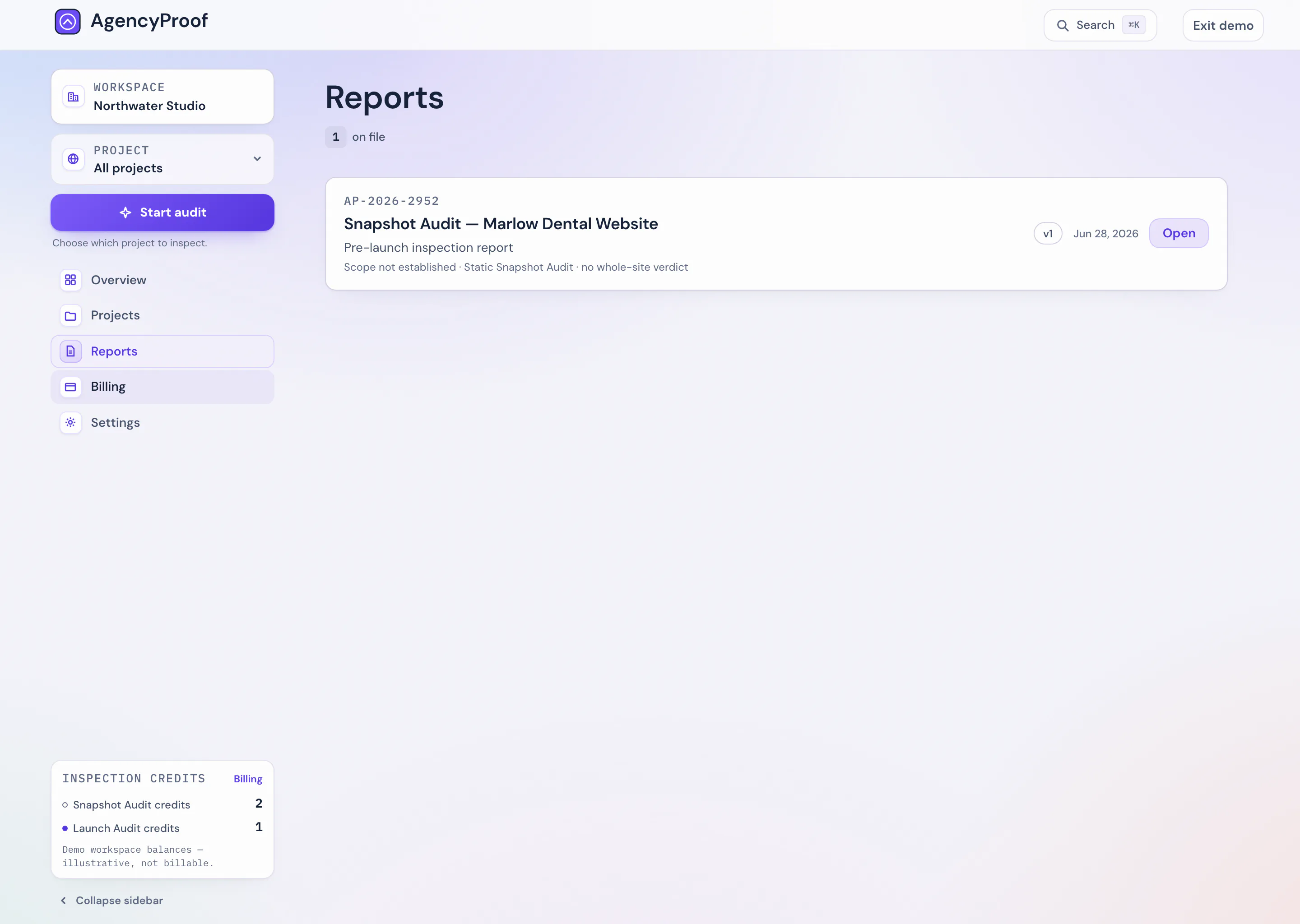
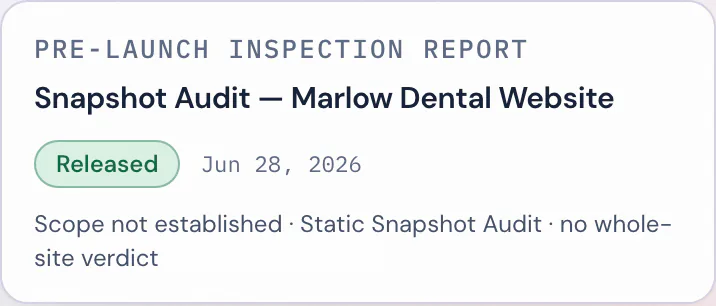
Close-up of a filed-report card: file number, version and review-depth chips.
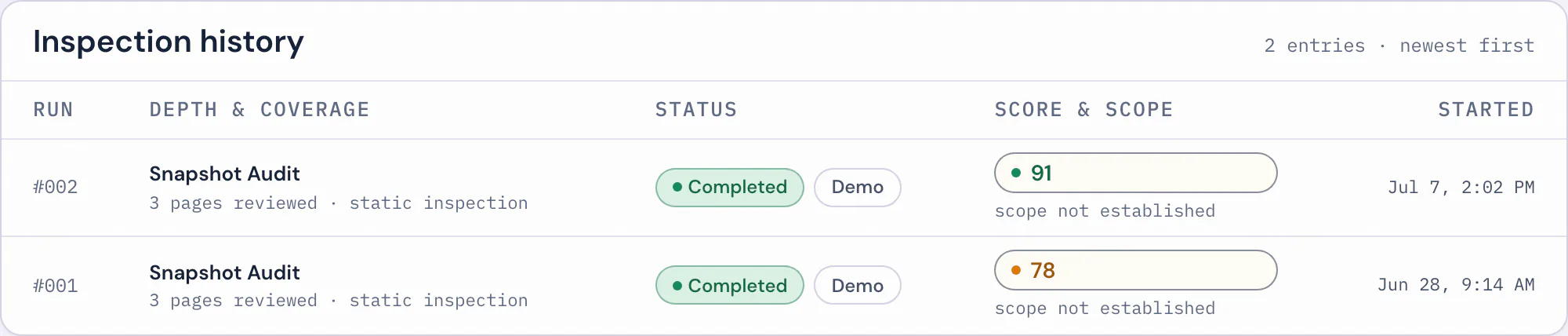
09 · Credits
Two pools, kept separate.
The commercial model is visible right in the billing view: a Snapshot Audit credit and a Launch Audit credit are different things, held in different pools. The server spends only the selected credit family. One is never quietly substituted for the other.
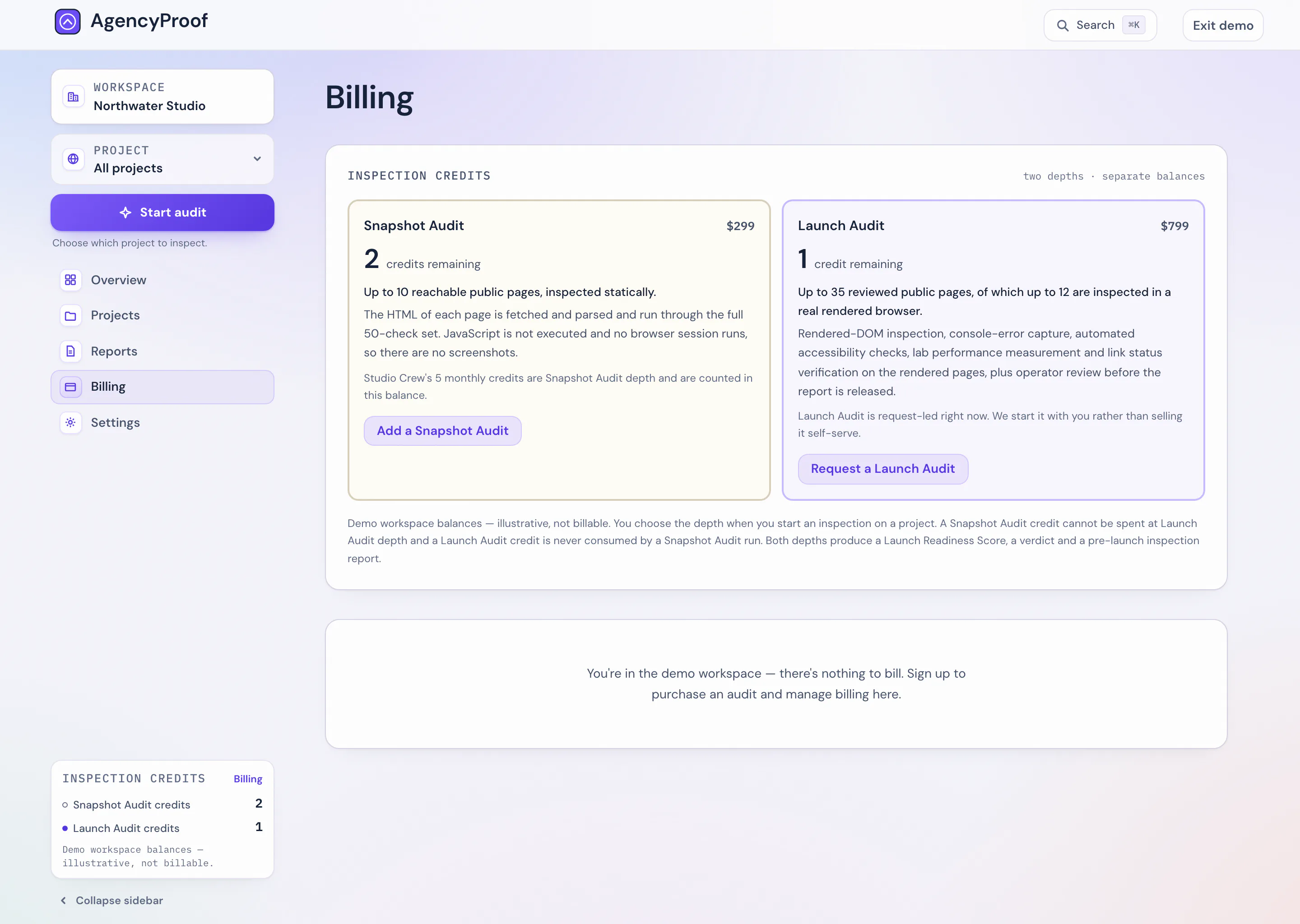
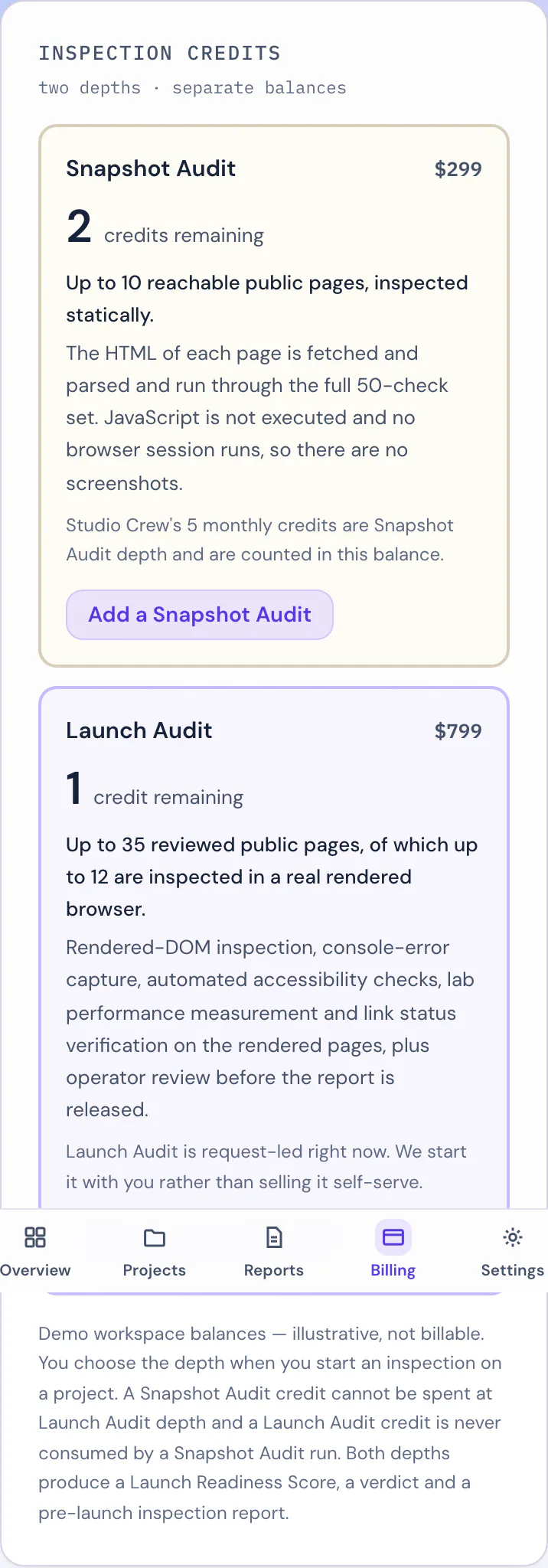
Close-up of the typed credit pools card — Snapshot and Launch balances, side by side.
Studio Crew runs at Snapshot Audit depth: up to 10 reachable public pages, static HTML. It is not a deeper tier than Launch Audit, and it is not Launch Audit on a subscription. Credits reset each billing period; nothing runs on a schedule.
The tour ends here
Open your inspection desk.
Everything above is the working product. A free account opens the same desk, empty and waiting for its first project.